 Gardion
Where is my child: how location works in parental controls
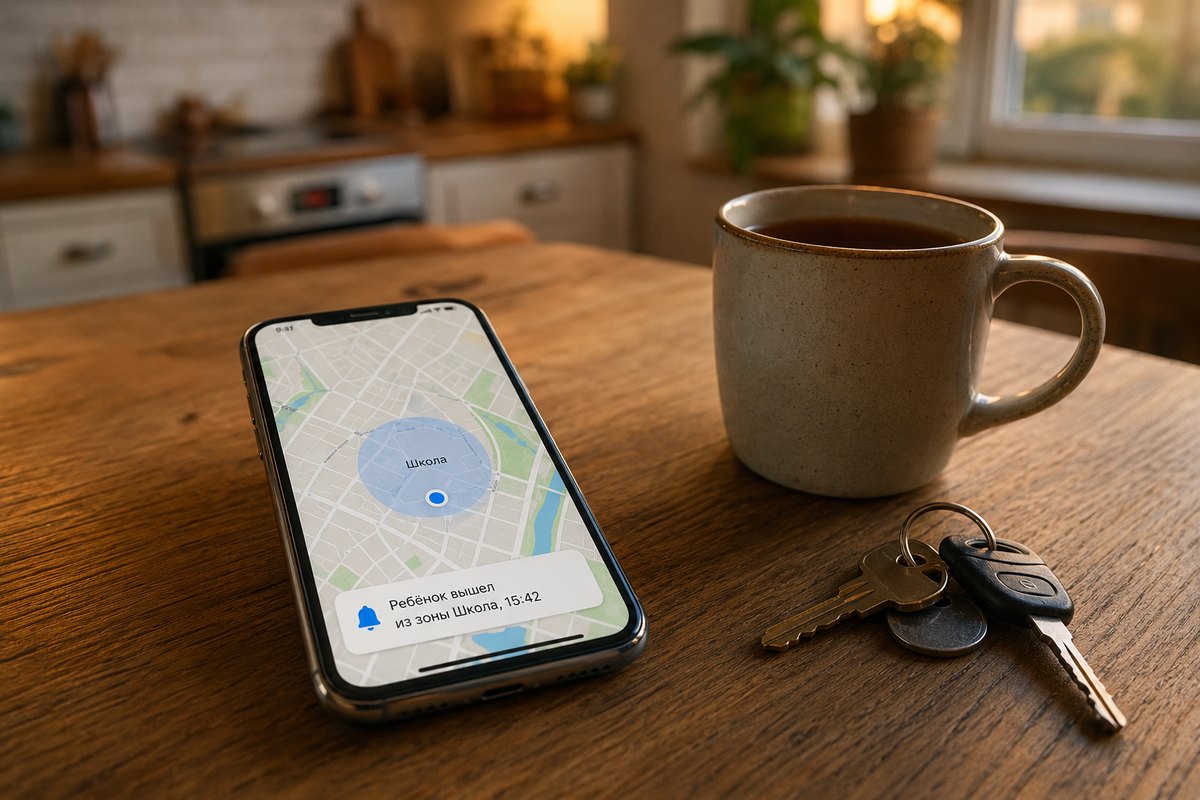
Most of the time a parent does not want a map with a dot moving every minute. They want an answer to one question: did the child get there? Did they leave school on time? Did they reach grandma's? And when nobody picks up — is the phone dead, or are they still on the way? Here is what the map shows, what the history keeps, how zones with alerts behave, and where the limits are.
"Where now" asks the phone for a fresh point
The "Where now" button sends a request to the child's phone, and a fresh point appears on the map a few seconds later. You do not wait for the next scheduled update.
Two details next to that point usually matter more than the coordinates. First, accuracy, shown as something like ±25 m, meaning the phone sits somewhere inside that radius. Second, the battery level at the moment of the point: if your child is not answering and the last point says 4 %, you already have your answer.
When a place has a name, the list shows the name — "School" instead of a pair of numbers.
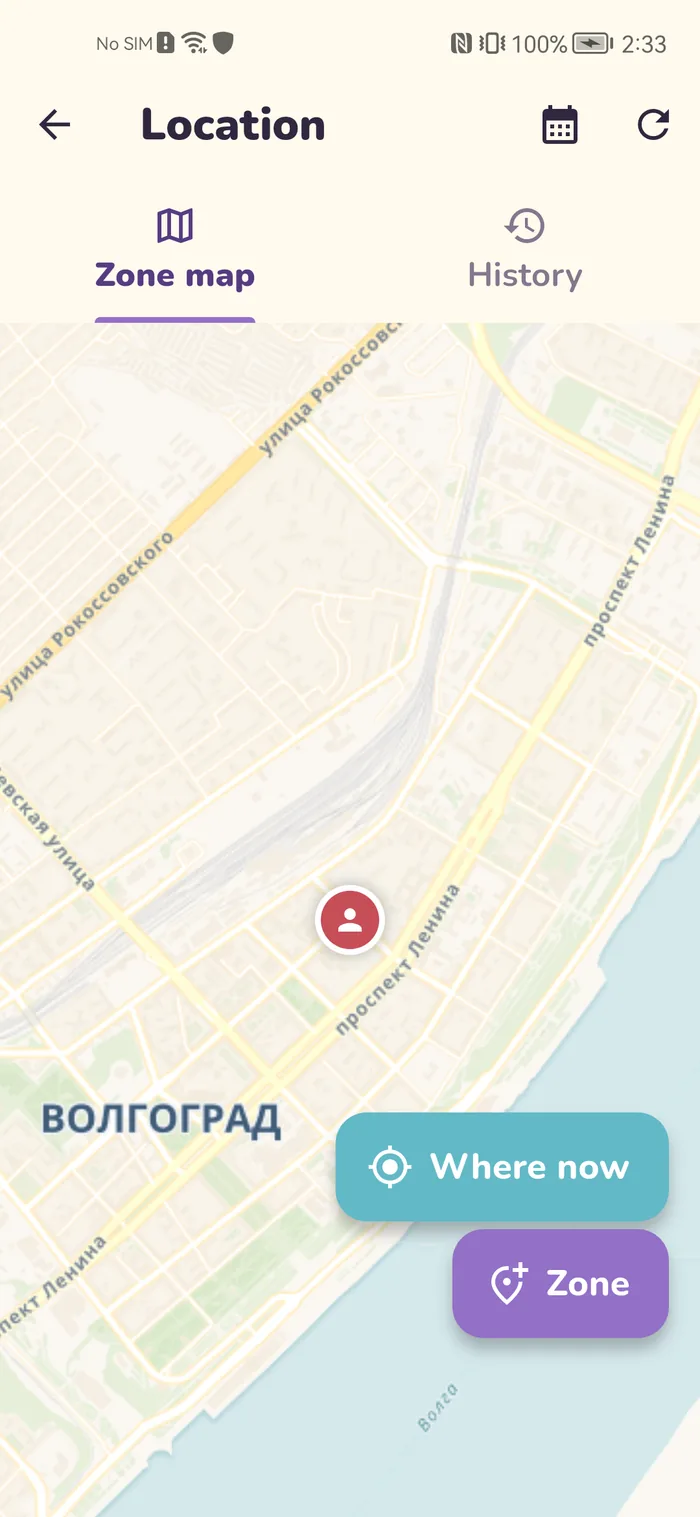
History: 6 hours, a day, three days or a week
The route history opens for a chosen period: 6 hours, 1 day, 3 days, 1 week. There is no longer range in the app, and in practice none is needed — a parent's question is almost always about yesterday or this morning.
Inside the period you see points with timestamps. That answers a different question than "where now": it shows how the day went. When they left home, how long they stayed at school, when they started back.
Zones: home, school, grandma
A zone is a circle on the map with a name and a radius. The usual three: home, school, and grandma or a club. Family includes one zone; more come with Premium.
Each zone can send alerts: notify when the child enters and notify when the child leaves. You stop checking the map, because the map tells you when something happens.
A practical detail taken straight from the app: a radius under 100 meters is less reliable, because GPS accuracy in a city rarely does better. The app warns you about it while you set the zone up. For a school, 150–200 meters usually works: with a tighter circle a phone sitting in the far wing of the building keeps entering and leaving the zone.
A zone you do not need right now does not have to be deleted. Switch it off and it stays saved, it simply stops sending alerts.
The home zone and outdoor time
One zone can be marked as home. That is not about alerts: the child's app has an outdoor goal, and on Premium, stars for it are awarded when the phone leaves the home zone and comes back.
Without a marked home zone the outdoor goal has nothing to measure against, so it will not work.
The SOS button
A separate mechanic: when the child presses SOS, the coordinates arrive inside the notification itself. The map opens on the point, so there is nothing to search for.
Where the limits are
Half of the disappointment with parental controls comes from expectations that were never true, so here it is plainly.
Location works on Android only. Gardion does not run on iPhone at all, and we say so both in the app and in our FAQ.
The "Allow all the time" location permission is required. If the child's app is set to "only while using the app", points stop arriving as soon as the app goes to the background. That is how Android itself works.
Accuracy depends on the place. Dense blocks and building interiors widen the GPS radius, and that is exactly why the zone warning exists.
Battery savers put apps to sleep. On some Android skins, Xiaomi in particular, background apps get dropped from memory and points arrive less often: the app needs autostart allowed and the background restriction removed.
In short
A point arrives within seconds of pressing "Where now". Background points build the history, and how often they arrive depends on the battery settings on the child's phone.
No. Gardion runs on Android only; there is no iPhone app and no location there.
150–200 meters. The app marks anything under 100 meters as less reliable: city GPS rarely does better, and the phone keeps entering and leaving the zone.
Usually the "Allow all the time" permission was revoked, or the battery saver dropped the child app from memory. Check both on the child's phone.
You pick one of four periods in the app: 6 hours, a day, three days or a week.
Set limits in 3 minutes
Limits, schedule and anti-bypass protection on Windows and Android. 14 days of full access, no card needed.
Try GardionOr install the parent app now.
Read next
- Kaspersky Safe Kids review: where to download it and why it doesn't blockWhere to download Kaspersky Safe Kids without Google Play, what it costs, what parents say in reviews, and why it doesn't lock the child's phone.
- Chore app for kids: how your child earns screen time with starsA chore app for kids that ties chores to screen time. You set a chore worth stars and check it by photo. Your child trades the stars for minutes or a reward.
- Xbox parental controls: screen time, age ratings, purchases and your PINHow to set up Xbox parental controls: where screen time and age ratings live, how to make purchases wait for your approval, and how to lock your own profile with a PIN. Plus what the console can’t see on your child’s phone.