 Gardion
Findmykids alternative: when a map isn't enough

Findmykids is good at one thing: showing where your child is. The questions at home tend to be different. How many hours went into Brawl Stars today? Why is the laptop still on after midnight? Who opened a site you would have blocked? A map can't answer those, so parents start looking for an app with screen limits that still shows location. In Russia the same service is called «Где мои дети», and on the child's phone it runs as an app called Pingo.
What Findmykids does and what you pay for
Findmykids started as a family locator and still is one. You see where your child is now and the route they took during the day. You get a notification when they arrive at school or leave home. There is a loud signal that plays even on silent, an SOS button and a chat. The child can use an Android phone, an iPhone or a kids' GPS watch.
The rest depends on the plan. The Google Play listing says every feature works for a week after install, and after that only the current location stays free. App blocking and protection against the app being removed come only with the top plan, Plus. On October 14, 2026, findmykids.org listed it at $49.99. Minutes for Sound Around, the feature that lets a parent listen to the phone's surroundings, are sold separately from the subscription.
Three complaints that keep coming up
Recent reviews on Trustpilot and Google Play keep returning to the same three problems.
Charged after cancelling. "I've cancelled my subscription and they still charged me for a whole year," a parent wrote on Trustpilot in June 2026. Deleting the app doesn't help either: Google Play's help page says uninstalling an app does not cancel its subscription.
The location is wrong. "Says my child is currently at home when he's not," another review from May 2026 reads.
The child changes the settings. A parent writing in February 2026 says that after paying, their child changed the settings on their own phone and the parent couldn't change anything back.
Location after you switch
We built Gardion around screen time, and location is the second thing it does. If your child has an Android phone, the parts of a locator you are used to stay.
The Where now button asks the phone for a fresh location, and it shows up within a few seconds. Below it is the location history by day. You can add a zone that alerts you when your child arrives or leaves: one zone on the $25 plan, as many as you need on Premium. When your child presses SOS, you get their location and battery level. Our guide to finding your child's location covers how all of this works.
There is no Sound Around. We don't turn on the phone's microphone and we don't read messages.
What you gain: games, websites and the computer
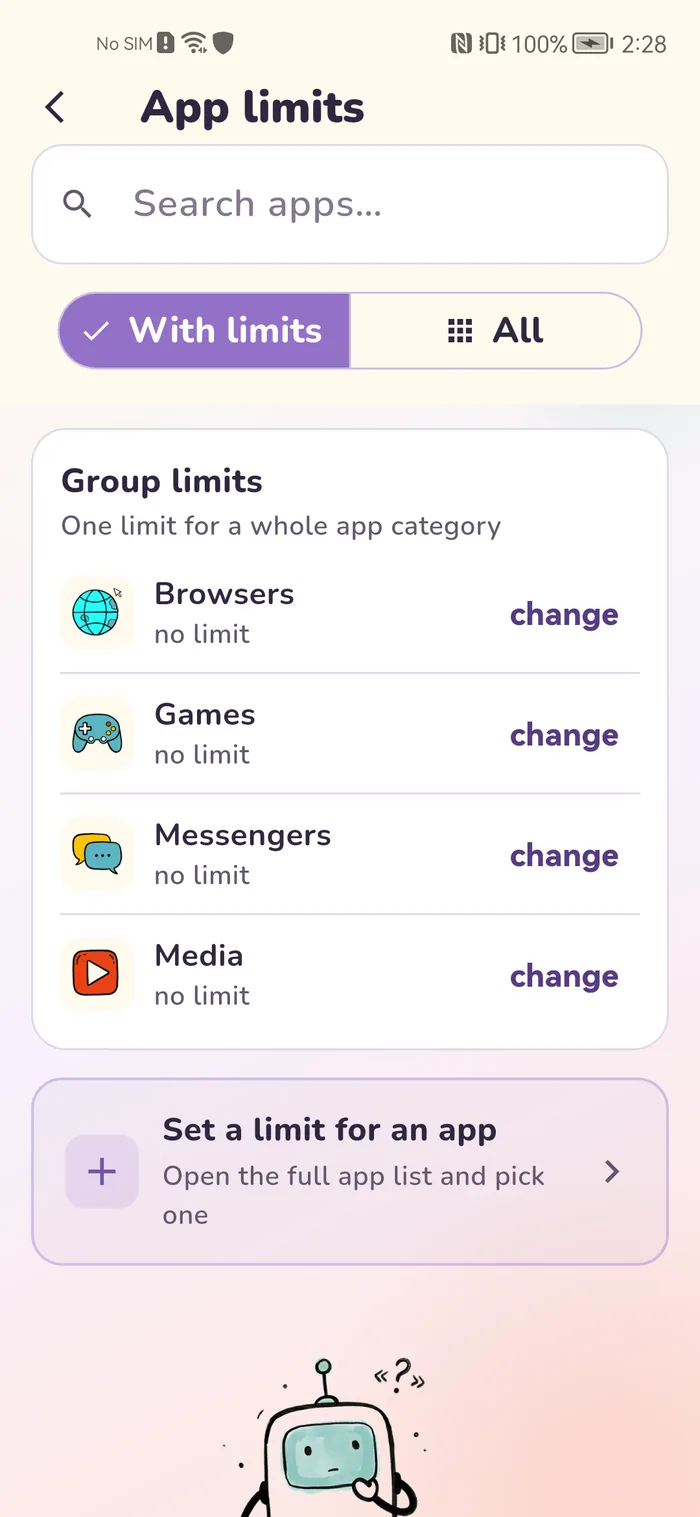
This is usually why parents switch. You can set a limit on a single game or on a whole group, such as all games, and block one app completely. There is a weekly schedule with bedtime, a website filter by category and SafeSearch. Removal protection works on Android. All of it comes with the $25 plan.
Findmykids doesn't list computers among supported devices. Our app installs on Windows and follows the same rules there. You can make one limit shared across devices, so an evening on the laptop comes out of the same time as the phone.
One thing to know before you switch: we don't support a child's iPhone or GPS watch yet. If that is what your child carries, hold off. Kaspersky Safe Kids, Google Family Link and five more apps are side by side in our parental control apps comparison. Another popular tracker gets its own article: Kids360 alternative.
Switching in one evening
Money first, then Pingo, then Gardion. In that order the subscription stops renewing, and your child's phone never ends up with two apps fighting over device admin rights.
1. Turn off auto-renewal. On Android: Google Play → Payments & subscriptions → Subscriptions → Findmykids → Cancel subscription. On iPhone: Settings → your name → Subscriptions → Findmykids → Cancel Subscription, as Apple's help page describes.
2. Remove Pingo. It is registered as a device admin app, so you turn off that role first and then uninstall it. Our guide on how to remove Find My Kids has the steps with screenshots.
3. Install Gardion: the Gardion app on your phone, Gardion Kids on your child's phone, and the kids' program on Windows. All download links are on the install page. Our guide to parental controls on Android walks through the Android permissions.
Every feature is free for 14 days after sign-up, no card needed. After that the main plan is $25 a year for two devices, two children, phone and computer included. Premium is $35 and covers five devices. You pay once and nothing renews: when the year ends, your account moves to the free plan.
In short
Yes. Gardion sets a limit on a single game or on all games at once, and keeps the map, zones and SOS. It works on Android and Windows.
No. Cancel it under Subscriptions in Google Play or in your iPhone settings.
Yes, if your child has an Android phone. Where now refreshes the location within a few seconds, and you also get location history and zone alerts.
Not yet. It supports Android phones and tablets and Windows computers.
The first 14 days are free, no card needed. After that it is $25 a year for two devices or $35 for five, with no auto-renewal.
Set limits in 3 minutes
Limits, schedule and anti-bypass protection on Windows and Android. 14 days of full access, no card needed.
Try GardionOr install the parent app now.
Read next
- Remove second space and cloned apps on AndroidHow to find and remove a second space, cloned apps or Android 15 private space on a child's phone, with Settings paths for Xiaomi, Samsung, Huawei and Pixel.
- Kids360 alternative: how to switch and remove Alli360Leaving Kids360? Four questions to ask a replacement, how to cancel the subscription and remove Alli360 from your child's phone, then set up Gardion.
- School mode on your child's phone: what stays open during lessonsSet up school mode on a child's phone: School time in Family Link, Screen Time Schedules on iPhone, and Gardion's school mode with a list of school apps.