 Gardion
Android and Windows
A parental control app for your child’s phone and PC
Gardion goes on your phone. From there you set your child’s daily limit and bedtime, block individual games and see how many minutes went to each app. The rules apply on your child’s Android phone and on their Windows PC.
Every feature is free for the first 14 days, no card needed.
one account
Three apps, one account
Your Android phone
Gardion for parents
Install it from Google Play or AppGallery. If you have an iPhone, the same settings are in the web dashboard in your browser.
Your child’s phone or tablet
Gardion Kids
It runs on Android 8.0 and later and joins your account through a personal link, a QR code or an 8-character code.
Usually you won’t need these buttons. It’s easier to open the personal link from your app on your child’s phone, since the link already carries the connection code.
Your child’s computer
Gardion for Windows
It joins the same account. The limit can be shared between the phone and the PC, or each device can have its own.





from your phone
What you set from your phone
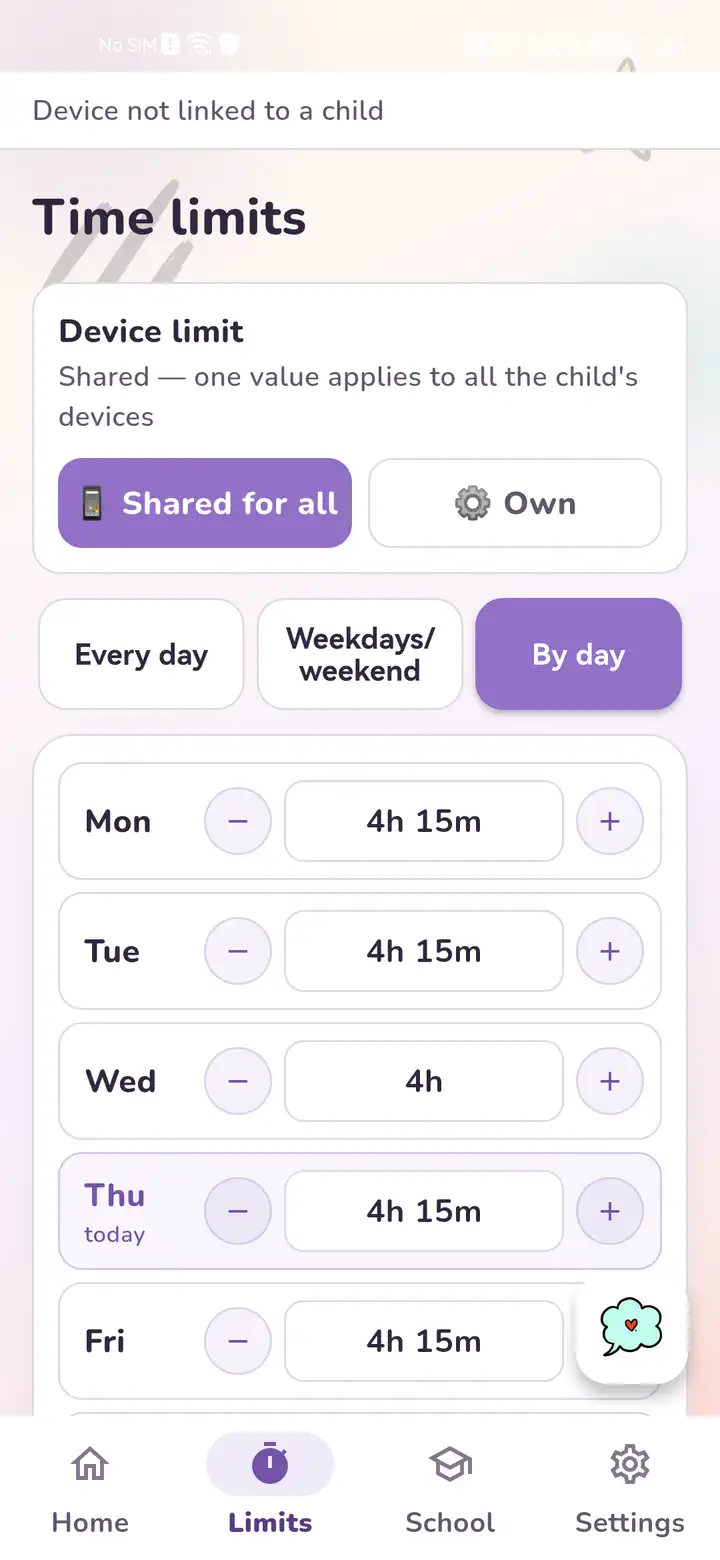
Daily limit
One limit for all of your child’s devices, or a separate one for each. Add or take away minutes with one tap.
A limit on a game
Pick a single app or a whole group, such as all games. Textbooks, calls and maps keep working.
Schedule and bedtime
Set it by day of the week or use a ready-made mode: school, weekend, sick day.
Websites
Filter sites by category, keep your own lists, and turn on SafeSearch and YouTube Restricted Mode.
Location
A map, location history and an SOS button that sends the phone’s location and battery level.
Uninstall protection
Gardion Kids interrupts any attempt to open the uninstall screen and alerts you right away.






pricing
Pricing
Every feature is free for the first 14 days, no card needed. If Gardion isn’t right for you, ask for a refund within 14 days of your first payment.
- Free$0
- foreverOne computer with one daily limit.
- Family$25
- a year, about $2 a monthTwo devices and two children, with every feature listed above.
- Premium$35
- a year or $5 a monthUp to five devices and five children. Adds a screenshot on request, chores with rewards and school mode.
Questions parents ask
How is Gardion different from Family Link?
Google’s service is free, and for a younger child it is often enough. Among computers, it works only with Chromebooks. Gardion also sets limits on a Windows PC, down to a single game.
Will my child just delete the app?
Not without you knowing. Gardion Kids runs as a device administrator, so it interrupts any attempt to open the uninstall screen and sends you an alert.
Do you read my child’s messages?
No, we don’t read messages. Gardion manages time and access. The app shows minutes per app, browser history and location on a map.
Is there a version for iPhone?
Gardion Kids doesn’t run on a child’s iPhone; the child app works on Android and Windows. If you are the one with an iPhone, you can change the rules in the web dashboard.
What happens after 14 days?
Without a paid plan, the account moves to Free, which keeps one daily limit on one computer.
Set your first limit tonight
Every feature is free for the first 14 days, no card needed.