 Gardion
Blog topic · 13 articles
Games, social media and apps
Guides to specific games and apps: Minecraft, Roblox, Fortnite, Brawl Stars, Standoff 2, Steam, Xbox, YouTube, TikTok, VK and WhatsApp. Each one explains what the platform restricts on its own and how to set a time limit.
Related pages:What to limit: games, messengers, devices
 6 min · read
Xbox parental controls: screen time, age ratings, purchases and your PIN
How to set up Xbox parental controls: where screen time and age ratings live, how to make purchases wait for your approval, and how to lock your own profile with a PIN. Plus what the console can’t see on your child’s phone.
 6 min · read
Standoff 2 parental controls: age rating, gold, chat and screen time
Standoff 2 carries three age ratings: Teen on Google Play, 13+ on the App Store and 16+ from the studio itself. What to decide about gold purchases and chat, and how to set a time limit for the game.
 7 min · read
Parental controls on VK: the VK Video kids profile and app time limits
VK has a kids profile only in VK Video. How to set it up on a phone and a TV, which privacy settings to change for a teen on VKontakte, and how to limit time in both apps.
 7 min · read
Parental controls on WhatsApp: parent-managed accounts and time limits
Since 2026 WhatsApp has offered parent-managed accounts for kids under 13. How to set one up, what a parent sees, five privacy settings for teens and how to limit time.
 5 min · read
Time limits for games: how to set them on Android, Windows, PlayStation, Xbox and Switch
Where to set a gaming time limit for your child on Android, Windows, PlayStation, Xbox and Nintendo Switch, whether it counts one game or the whole device, and what happens when time is up.
 2 min · read
Parental controls for games: where the settings are in Roblox, Minecraft, Fortnite, Steam and Brawl Stars
Where the parental settings are in Roblox, Minecraft, Fortnite, Steam and Brawl Stars, and why game time is better limited on the device itself.
 2 min · read
Brawl Stars parental controls: Supercell ID, purchases and play time
Supercell ID on the parent's email, chat, purchases and play time: what Supercell gives parents in Brawl Stars and what to turn on on your child's phone.
 8 min · read
Minecraft Parental Controls: the Microsoft Account, Chat and Realms
Minecraft settings for a child live in the Microsoft account, not in the game. The exact multiplayer and chat toggles, the profanity filter that cannot be switched off on a child account, the Realm invite link anyone can use, and how to limit time on this one game.
 7 min · read
Steam parental controls: Steam Families, playtime limits and purchase requests
How to turn on parental controls for a child account in Steam, what a Steam Family lets you restrict, how playtime and purchase requests work, and what stays outside Steam entirely.
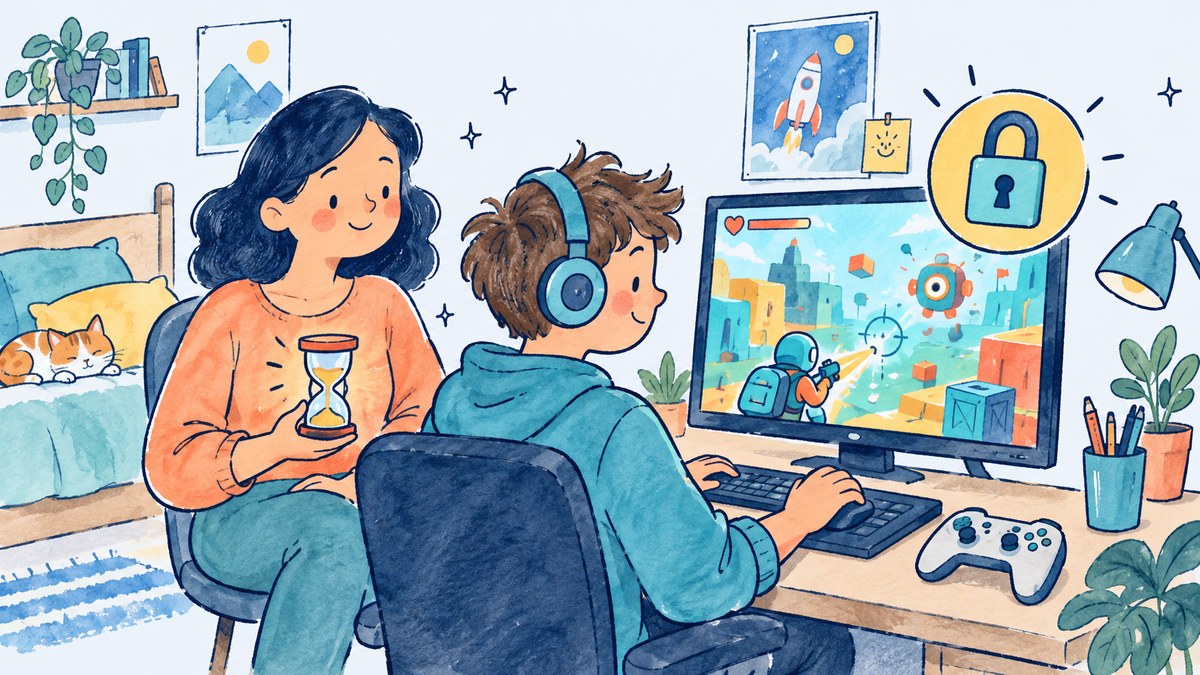 8 min · read
Fortnite Parental Controls: Playtime, Chat and the PIN
Playtime limits with a weekly email report, chat permissions, a PIN on purchases and content ratings: what Epic gives parents in Fortnite and how to reset a lost PIN.
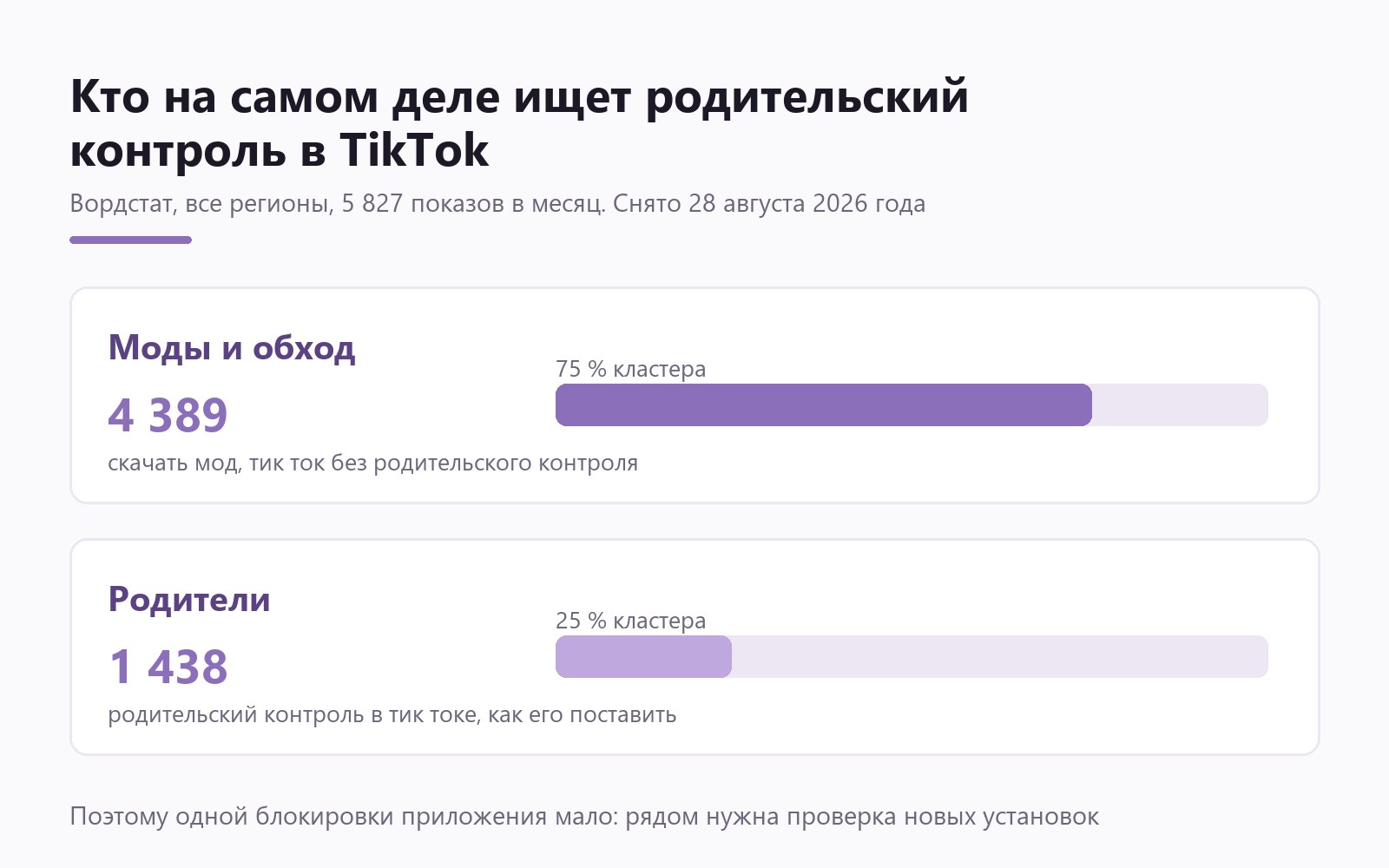 6 min · read
How to limit TikTok on your child's phone: app limits, daily limits, and blocking mods
Set a daily limit on the app itself, cap total daily time on the phone, and block modded builds. Here is why a single TikTok block lasts about one evening.
 7 min · read
Parental controls on YouTube: what they cover and where they stop
YouTube has three separate controls: the YouTube Kids app, a supervised account for under-13s, and Restricted Mode. Here is what each one does, what a child undoes in a minute, and how to cap the hours.
 6 min · read
Is Roblox Safe for Kids? What Is Inside and How to Set Boundaries
Roblox is not one game but millions of user-made worlds, and adults sit in them next to children. What actually happens inside, where the money goes, and how to limit playtime without banning the game.


Other topics
Set limits in ten minutes
Limits, schedules and bypass protection on Windows and Android. 14 days of full access, no card needed.
Try GardionOr install the parent app now.