 Gardion
Screen Time for Kids: Age-by-Age Limits That Hold Up in Real Life
Aleksandr Popov · · How we write our articles

Your kid is seven, the phone is in their hands from breakfast to bedtime, and a vague feeling hangs in the air: this is probably too much. Official guidelines do exist, and they are far stricter than what an ordinary family ends up with. Here is what doctors and regulators actually recommend, why the number alone decides less than it seems, and how to cut back without turning every evening into a war.
What the official guidelines say
The World Health Organization published its guidance for the youngest children back in 2019: no screen at all before age one, and no more than an hour a day for ages two to four; less is better.
National guidelines vary by country and tend to be stricter than what families expect. Russia’s ministry of education, for example, published age brackets in July 2026: up to 20 minutes a day at ages two to three, up to an hour before school age, up to an hour and a half through age eleven, and up to two hours for teenagers under sixteen.
Both sets of guidelines count total screen time for the day. The phone, the tablet, the TV and the computer all land in one bucket, so “an hour on the tablet, then cartoons” already breaks the limit.
To see the figures for your child’s exact age side by side, with a sample day built around them, try our screen time by age calculator.
For a step-by-step plan at each age, see how to get kids off phones.

What actually happens
Family reality sits far from these numbers, and screen time reports show it plainly: a schoolkid often burns through the recommended hour and a half before lunch, and the evening adds as much again.
There is no need to feel guilty about it. A guideline is a reference point, not a verdict: it shows the direction. If today adds up to four hours, a sensible goal for this month is three — the ideal ninety minutes can wait until later.
Why one hour is not like another
An hour of homework on the computer and an hour of short videos load a child differently, even though the counter shows the same 60 minutes. That is why doctors talk about entertainment screen time and count schoolwork separately.
Time of day changes the price of a minute too: a video after school is rest, the same video at midnight is stolen sleep and a cranky morning.
The hours on the counter also say little about addiction. Doctors look at other signs, and we collected them in our article on phone addiction in kids.
How to cut back without a fight
A sudden “one hour a day starting tomorrow, period” almost always ends in a revolt. Gradual works better: half an hour less per week, with the rules agreed in advance.
Second, fill the freed-up time. The screen lets go more easily when something replaces it: a sports class, a walk, a board game, even cooking together.
Third, step out of the enforcer role. When an app counts the minutes, the child argues with a timer, and you stop being the bad cop: the agreement stays in the family, the countdown goes to the software.
A written plan on the fridge makes the new limit easier to keep. Here's a family media plan template to start from.
What counts as screen time
Count the entertainment: games, videos, social feeds, shows. Homework on the computer, a video call with grandma, or a book on the tablet are a different kind of hour, and lumping them into the same counter is unfair.
Night is its own line. A screen within an hour of bedtime disrupts sleep more than an extra half hour at noon, so an evening cutoff does more good than a perfectly measured daily total. How to get sleep back without a nightly fight is covered in child on the phone at night.
How this looks in Gardion reports
Gardion counts time for each app separately, so you can see what actually eats the day: an hour in Roblox, twenty minutes in a messenger, ten in a study app.
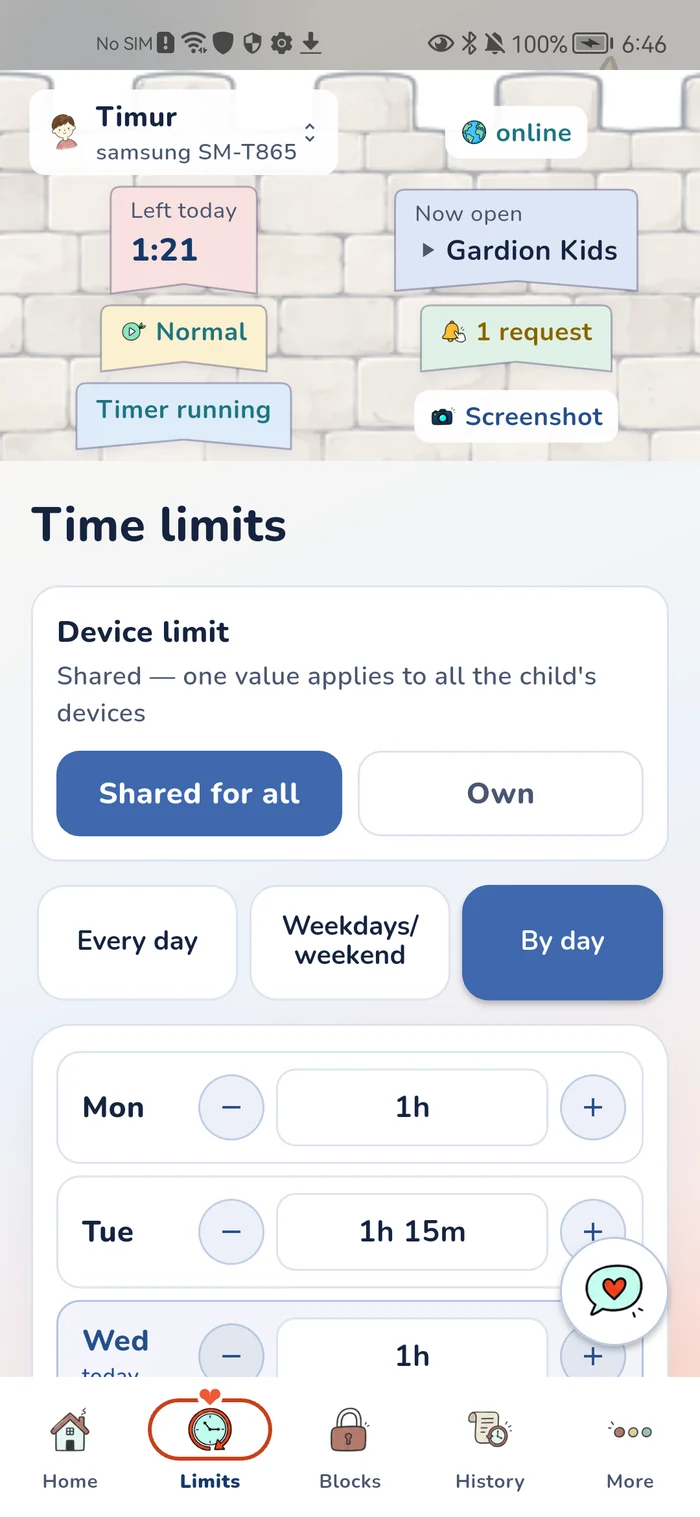
Limits bend to your family’s rules: an overall daily cap, a separate one for games, a schedule that closes entertainment after bedtime. On Premium, study apps stay open in school mode and never spend the limit. Trying it costs nothing: 14 days of full access on Android and Windows, no card needed. For computer limits, see parental controls on Windows.
In short
The official guidelines only cover time on the screen; they say nothing about when to buy the phone. That decision stays with the family. Most often a child gets their own phone around the start of school, when staying in touch matters.
Yes. Both the WHO and national guidelines talk about total screen time for the day: phone, tablet, TV and computer add up.
Cut back in steps: half an hour less each week, rules agreed in advance, the freed-up time filled with something real. A couple of months later the number lands in a reasonable range without a major war.
After a feed or a game the brain is revved up, and falling asleep takes longer — adults know the feeling too. A schedule that closes entertainment after bedtime does more for sleep than a strict daily counter.
Set limits in 3 minutes
Limits, schedule and anti-bypass protection on Windows and Android. 14 days of full access, no card needed.
Try GardionOr install the parent app now.
Read next
- Child angry about parental controls? What to do nextWhy kids get angry about screen time limits, how to agree on rules together, and which settings remove reasons to fight: a warning before the lock, a way to ask for time, and the reason on screen.
- Dopamine and screens: is your kid's phone really draining their dopamine?Does screen time drain kids' dopamine? What neuroscience says, why kids melt down when the screen goes off, and whether a dopamine detox helps.
- Phones before bed: how screens affect kids' and teens' sleepWhy phones before bed hurt kids' sleep more than adults': three ways screens interfere, how much sleep each age needs, and a screen-free last hour.
- Alternatives to screen time for kids: what to offer at the hours they reach for the phoneScreen-free activities for kids, matched to the hours they reach for the phone: a one-week plan, ideas by age, and what to do instead of screens before bed.