 Gardion
Kaspersky Safe Kids review: where to download it and why it doesn't block
Kaspersky Safe Kids is the parental control app from Kaspersky. In the fall of 2026, parents keep asking three things about it: where to install it now, what the free version does, and why the child's phone stays unlocked while the app says it is blocked. Safe Kids is no longer available on Google Play: Kaspersky says downloads and updates from there are temporarily unavailable. We collected where to get the app, what parents write in recent reviews, and which settings to check when blocking fails.
Where to download Kaspersky Safe Kids
We checked Google Play on October 6. A search for Safe Kids returns nothing, and the app page com.kaspersky.safekids shows "Not Found". On its support page, Kaspersky says that downloads and updates of its apps from Google Play are temporarily unavailable. The company doesn't give a reason, and we won't guess.
For Android, the Russian Kaspersky site links to Galaxy Store, AppGallery, Xiaomi GetApps, RuStore and an APK file. On iPhone, Safe Kids still installs from the App Store.
Pick the store that is already on your child's phone, because that store will deliver updates. According to Kaspersky's help center, Safe Kids downloads only database updates by itself. New versions of the app come from the store, as long as auto-update is turned on there. A copy installed from Google Play in the past won't get new versions from it anymore.
Installing from an APK file takes more work. On Android 13 and later, you have to allow accessibility for Safe Kids by hand, and every update installed from a file turns it off again. Without that permission the app blocks nothing, as the section on blocking explains.
Price and the free version
Safe Kids has a free version. According to the app's store listing, it includes safe search, website blocking, app control and a daily screen time limit. Location tracking, geofencing, battery level, schedules, instant alerts and reports require Premium.
The schedule is the one parents complain about. A daily limit is free, but a rule like "the phone locks after 9 p.m." is a Premium-only feature, per Kaspersky's help center.
On kaspersky.com, Premium costs $25.99 for the first year, about $2 a month, and renews at $28.99 a year, excluding VAT. One license covers all your kids, and there is a 30-day money-back guarantee.
What parents say in reviews
On RuStore, a Russian Android app store, Safe Kids had a rating of 1.9 as of October 6, 2026, and its latest version there came out on July 15, 2025. We read the reviews from September and early October. The same complaints come up again and again.
The most common one: the app shows a lock that isn't there. "The time limit is exceeded, it says the phone is locked, but nothing is locked," one parent wrote on October 2. Another mom tapped "block", got a report, and her son "kept playing just like before" (September 27).
The second is bypassing, and kids are inventive here. In reviews from September 21 and October 2, parents say their kids restart the phone and open the app they want while Safe Kids is still starting up. On a vivo phone, a shortcut appears after accessibility is granted, the child deletes it, "and on my side it shows everything is fine" (October 4).
Two more parents say the limits work on Wi-Fi and stop working on mobile data. Another complains that "settings and limits keep getting reset."
Some reviews say everything works. On a realme phone with Android 14, the phone locks and the limit holds (August 31). Another parent writes that blocking by limits and time slots works even offline, though you can't change settings without a connection (October 1). The developer answers complaints the same way, by sending parents to tech support.

Why Safe Kids doesn't block the phone
Kaspersky's own help center explains most of these complaints. We found five reasons why a parent sees "blocked" while the phone keeps working.
The wrong mode is selected. Safe Kids offers three options for device time: "Statistics only", "Show warnings to child" and "Block device". In the first, the app only counts minutes. In the second, the child sees a warning and can dismiss it. Only the third locks the phone, so check the mode first.
Accessibility is turned off. Without this permission, Safe Kids can't control apps, websites or device time. On Android 13 and later, the system restricts accessibility for apps installed outside Google Play and AppGallery. If you installed Safe Kids from RuStore or an APK file, you have to enable it through "Allow restricted settings", Kaspersky says. An update installed from an APK file turns accessibility off again.
The system kills the app. Some phone makers stop background apps to save battery. So for Xiaomi, Kaspersky recommends setting Safe Kids to "No restrictions" in battery settings and allowing autostart in the Security app. On other brands, look for similar options under battery and autostart settings.
Some apps stay open. When the device is blocked on Android, Phone, Contacts and the apps a parent added to exceptions keep working. If a browser or a messenger ended up in exceptions, the child can still use it after the block.
The phone or mode isn't supported. According to Kaspersky, Safe Kids doesn't work in Android 15's private space, may not work properly on Android Go, and isn't recommended for kids mode on Oppo phones.
Then there is the internet. New rules and commands from the parent's app reach the child's phone over the network. While the phone is offline, a new "block" command won't get through, though a limit set in advance still works without a connection, according to the October 1 review.
What to check, in order
If Safe Kids shows a lock that isn't happening on the phone, go through this list from the top. We put the checks you can do in the parent's app first, and from step two you'll need the child's phone.
1. In the parent's app, device time is set to "Block device", not statistics or warnings.
2. On the child's phone, Safe Kids is turned on in accessibility settings. On Android 13 and later, first open the app info page and tap "Allow restricted settings".
3. Safe Kids has no battery restrictions and is allowed to autostart.
4. Your exceptions list has no browser, messengers or games.
5. The app updates through a store with auto-update turned on, and if you ever updated it from an APK file, accessibility has been turned back on since.
6. The child's phone is online when you change rules or tap "block".
7. Still not working? Contact Kaspersky support. According to the RuStore reviews, that's where the developer sends parents with these complaints.
If you decide to switch
Safe Kids is removed from the app itself on the child's phone, using "Remove application" and your My Kaspersky password. We wrote up the steps from Kaspersky's help center in our guide on how to remove Kaspersky Safe Kids.
One alternative is Gardion, a parental control app for Android phones and Windows computers. It doesn't support iPhone or Mac. The kid's app, Gardion Kids, installs from Google Play or as an APK file from our site. Here is how Gardion handles the situations from those reviews.
After a restart, Gardion Kids starts on its own as soon as the phone is unlocked, and the lock screen comes back within about 30 seconds. The rules are stored on the phone itself. That's why the daily limit and schedules work without the internet.
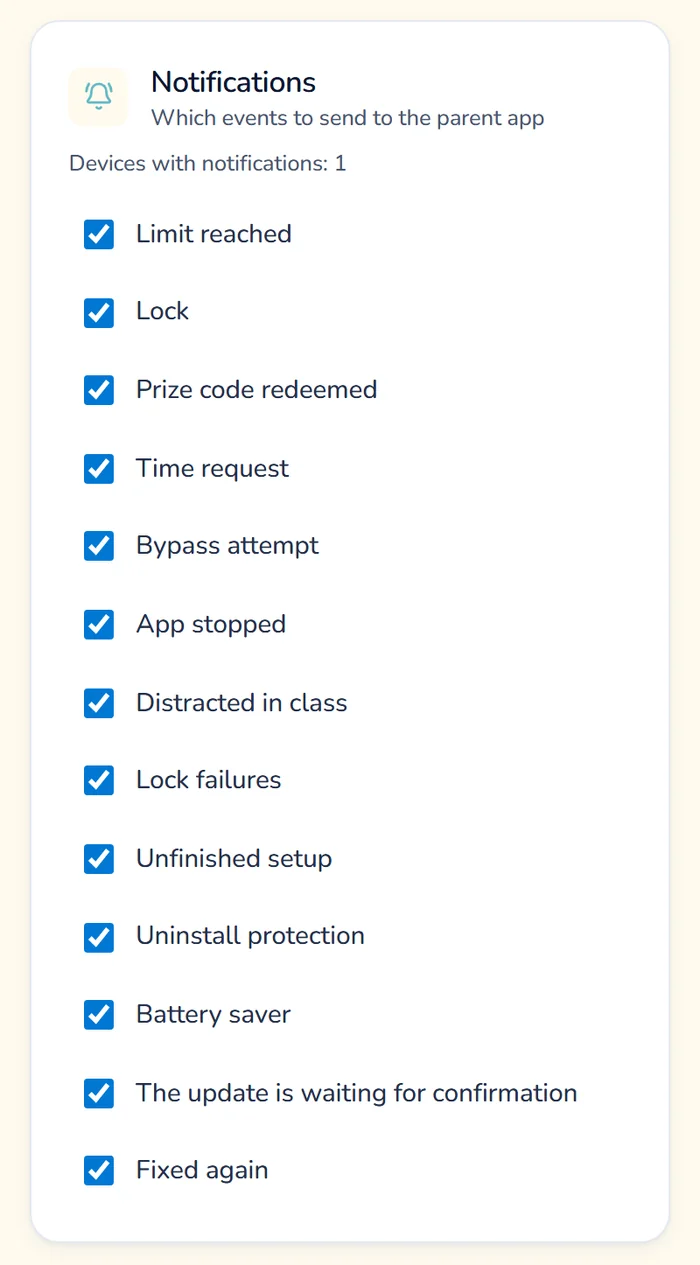
If someone turns off accessibility or another permission Gardion needs, the phone shows the notification "Gardion is not protecting this device". In under a minute, the screen is covered by "Gardion setup is not finished", and it only goes away once the permission is back on. If accessibility stays off for an hour, the parent gets the alert "Protection turned off on the phone". If the child opens the uninstall screen for Gardion Kids, the app takes them right back out of it, and the parent hears about the attempt.
In the parent's app, you can see whether each device is online and when it last checked in. Under the lock, the child still has Phone, Contacts, a chat with the parent and an SOS button, and the parent decides which programs stay open during a lock.
The Family plan costs $25 a year, around $2 a month, and covers Android and Windows, app limits and schedules. The first 14 days are free with every feature, no card needed. We compared Gardion with other apps in our parental control apps comparison, and the setup is shown on how it works.
In short
Yes. Safe search, website blocking, app control and a daily time limit are free. Schedules, location and reports require Premium, which costs $25.99 for the first year on kaspersky.com.
Kaspersky says downloads and updates of its apps from Google Play are temporarily unavailable and doesn't give a reason. On Android, people install Safe Kids from Galaxy Store, AppGallery, Xiaomi GetApps, RuStore or an APK file from Kaspersky.
New versions come through the stores Kaspersky lists and as an APK file from its site. After an update from a file on Android 13 or later, turn Safe Kids back on in accessibility settings, or blocking will stop working.
Kaspersky's help center doesn't cover this case. Make sure Safe Kids is allowed to autostart and has no battery restrictions: without autostart, the phone's software may not launch the app after a restart. If it keeps happening, contact Kaspersky support.
You remove it from the app itself on the child's phone, using "Remove application" and your My Kaspersky password. The full steps are in our guide on [how to remove Kaspersky Safe Kids](/remove-parental-controls/kaspersky-safe-kids).
Set limits in 3 minutes
Limits, schedule and anti-bypass protection on Windows and Android. 14 days of full access, no card needed.
Try GardionOr install the parent app now.
Read next
- Chore app for kids: how your child earns screen time with starsA chore app for kids that ties chores to screen time. You set a chore worth stars and check it by photo. Your child trades the stars for minutes or a reward.
- Xbox parental controls: screen time, age ratings, purchases and your PINHow to set up Xbox parental controls: where screen time and age ratings live, how to make purchases wait for your approval, and how to lock your own profile with a PIN. Plus what the console can’t see on your child’s phone.
- Can a child delete a parental control app on Android?Yes, a child can remove any parental control app installed from a store. Why Android works this way, what root and Device Owner change, and what to do next.